Migrating your virtual machines from VMware to Digitron IaaS can streamline your cloud infrastructure and take advantage of Digitron’s robust features. This comprehensive guide will help you through each step of the process, ensuring a smooth and efficient transition.
Download the Agent
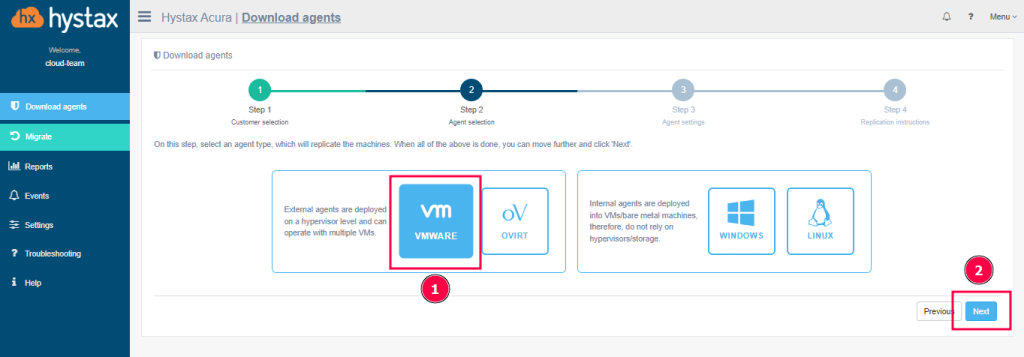
To begin, you need to download the appropriate migration agent. There are two types of agents available: External and Internal. External agents are designed to be deployed at the hypervisor level, providing a broad overview and control of the migration process. Internal agents, on the other hand, are intended for individual VMs or bare metal machines, offering a more granular level of migration.
Create a VM Using the Agent Image
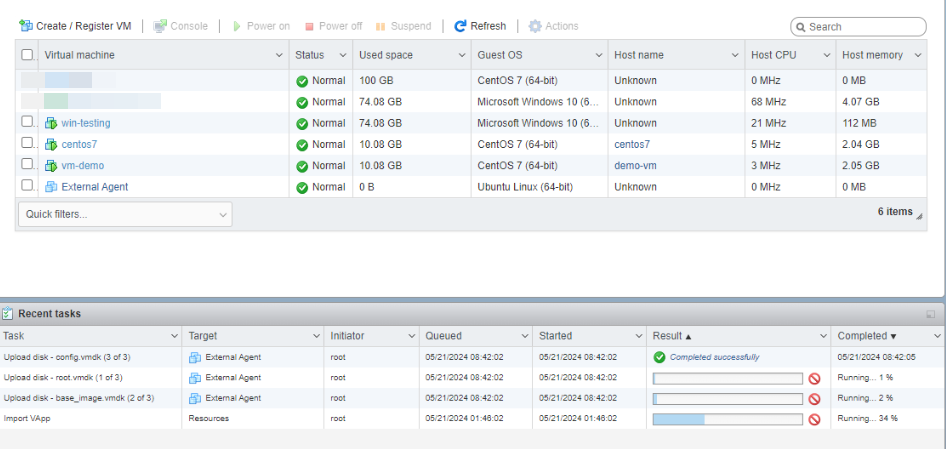
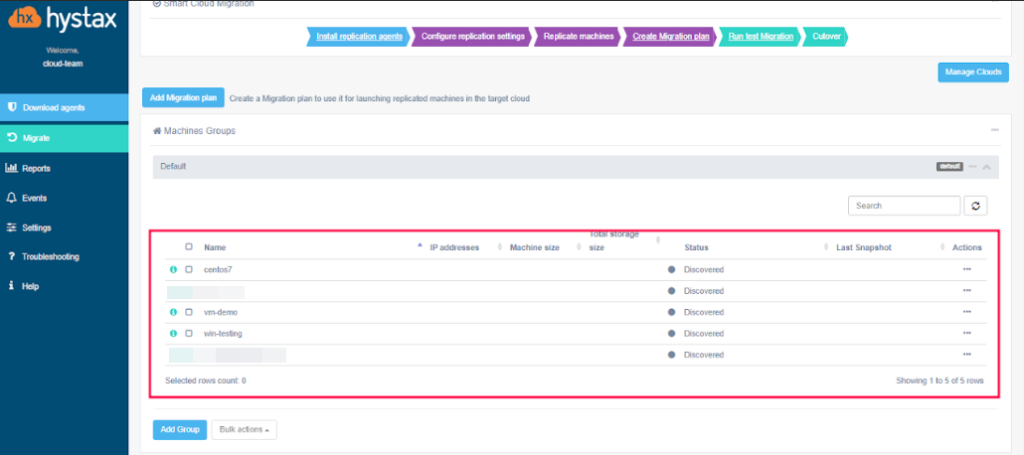
After downloading the agent, use the agent image to create a new VM. This newly created VM will serve as the base for the migration process. The agent will automatically detect all the VMs in your environment, displaying them as “Discovered” on the migration dashboard. This feature simplifies the management of multiple VMs during the migration process.
Select and Replicate Data
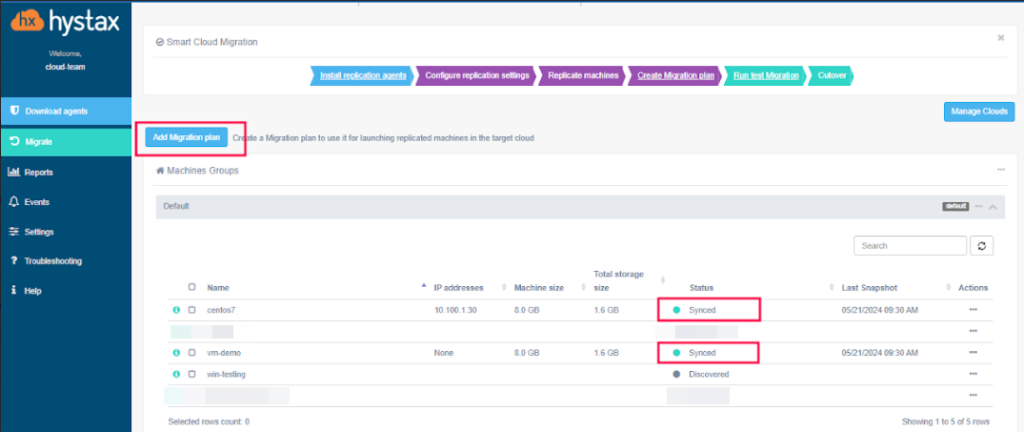
Once the VMs are discovered, you can select the specific VM you wish to migrate. Initiate the data replication process, which will copy the necessary data from the selected VM to the new environment. This step ensures that all your critical data is preserved and accurately transferred to the Digitron IaaS platform.
Create a Migration Plan
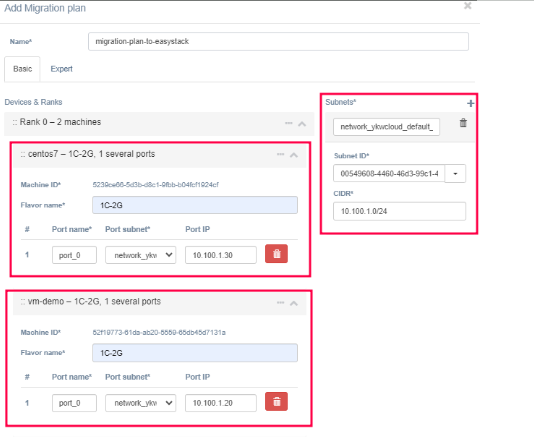
Developing a detailed migration plan is crucial for a successful transition. In this step, you will set up the network configurations and specify the virtual machine requirements. This plan should outline how the VMs will operate in the new environment, ensuring they meet all necessary performance and security standards.
Complete the Migration
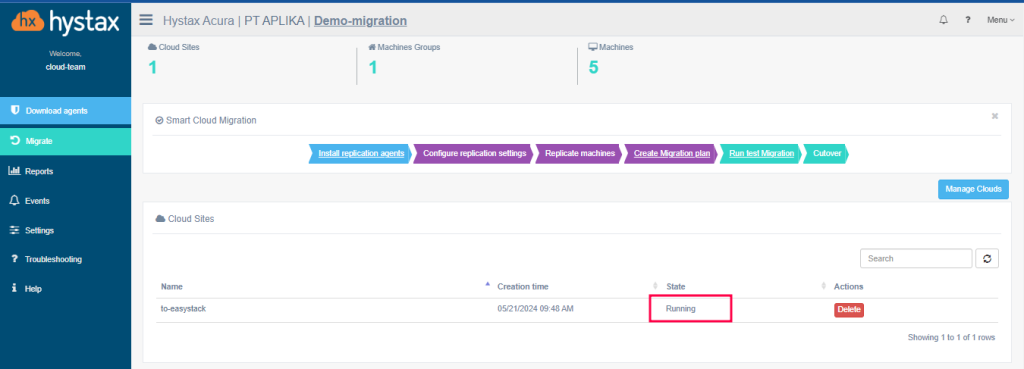
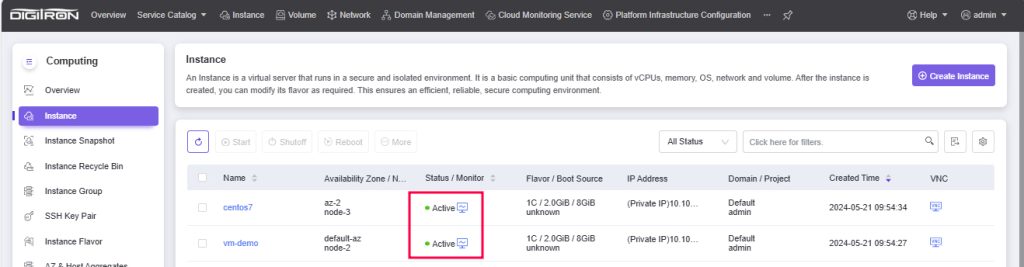
With the migration plan in place, you can begin the actual migration. The system will carry out the migration according to the plan, and you can monitor the process in real-time. Once the migration is complete, the status of the cloud site will change to “running,” and the migrated VM in Digitron IaaS will be marked as “active.”
Verify the Migration
After the migration is complete, it is essential to verify that all VMs have been successfully transferred and are functioning correctly. Conduct thorough checks to ensure that the performance, security, and functionality of the VMs meet your expectations. This verification step is critical to ensure a seamless transition with no disruptions to your operations.
By following these steps, you can ensure a smooth and efficient migration from VMware to Digitron IaaS, taking full advantage of the advanced features and capabilities of Digitron’s cloud infrastructure.